A person decides before your AI agent pays anyone.SignetGate holds the payments your agent routes through it.
A reviewer approves or refuses each one, every decision is signed, and the record can be checked without us.
- A fingerprint of the payment
- A fingerprint of the invoice file shown
- The decision, and the account that made it
- Which checks were satisfied
Shown to the reviewer, not signed
- Risk flags
- Confirmation of Payee (simulated)
- The invoice comparison
The problem
An agent can pay the wrong account with details that look consistent.
What stalls a pilot is the question afterwards: which account approved this, what was it shown, and has the record changed since?
How it works
A gate, a review, and a signed record
01
Agent
calls a gated tool
02
Gate
holds the call, captures the invoice
03
Reviewer
approves or refuses
04
Signed record
checked later, without us

Set up as we specify, a gated payment waits for a reviewer’s decision. If anything goes wrong on the way — a network failure, a server error, a timeout — the software’s rule is to refuse the payment, not release it. We fetch the invoice ourselves rather than trusting the agent’s link, and show it beside the five payment details the agent extracted.
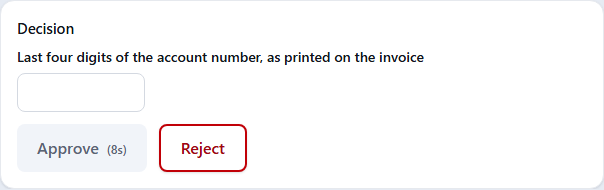
Riskier payments get more friction automatically: a new payee, an amount above your threshold, a mismatch, or an invoice we could not retrieve. Those need a longer wait, a recent sign-in, and the last four digits of the account number typed from the invoice. Our server checks the answer, not the browser.
What makes it different
Three things an approval step does not give you
Evidence, not a log line
Each decision is signed with Ed25519 over a fingerprint of the payment, a fingerprint of the exact invoice file shown, and the decision itself. Change any signed value and the check fails.
Checkable without us
A single page that opens by double-click and works with the network switched off tells your auditor whether a record is genuine — and whether a genuine record is about the payment in front of them.
Catches and misses, counted
We mix synthetic payments carrying a deliberate, unambiguous error into the queue. Approving one counts as a miss and refusing it counts as a catch, per reviewer.
Nothing a reviewer sees marks an item as synthetic.
For developers
One hook, and the tool stays out of your allow list
SignetGate installs as a pre-tool-use hook in the Claude Agent SDK, with adapters for OpenAI-style tool loops and LangGraph. It refuses to start on a configuration that would let a gated tool skip the hook.
import { SignetGate, withSignetGate } from '@signetgate/sdk'; const { options } = withSignetGate( { // The gated tool is absent here, and the mode is left alone. allowedTools: ['Read', 'Grep'], permissionMode: 'default', }, gate, { gatedTools: ['mcp__ap__wire_transfer'], mapCall },); await query({ prompt, options });The SDK and integration hooks are available to design partner teams. Shadow detection cannot see permission rules held in the framework’s settings files, and it cannot see an agent that never installs it.
Offline verification
Your auditor does not have to take our word, or our servers
Give the checker a record and our public key, and it answers whether the record is genuine. Give it the payment instruction too, and it answers whether a genuine record is about that payment.
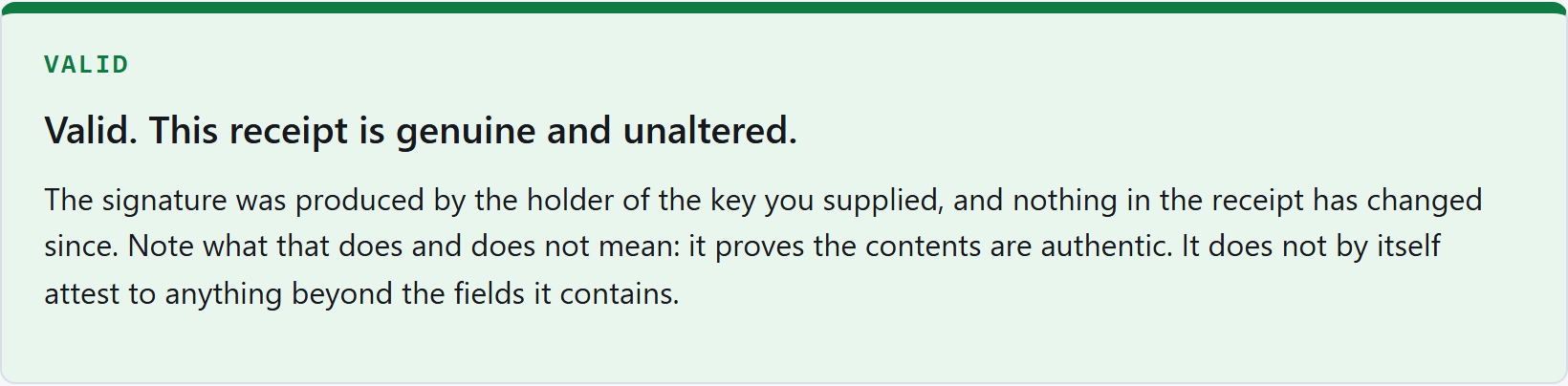
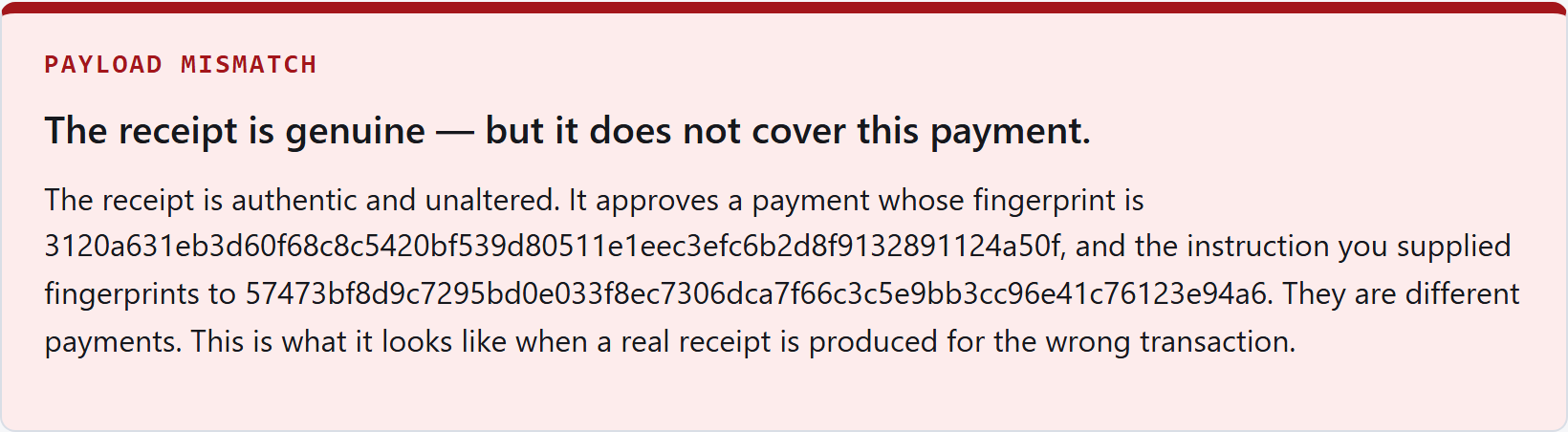
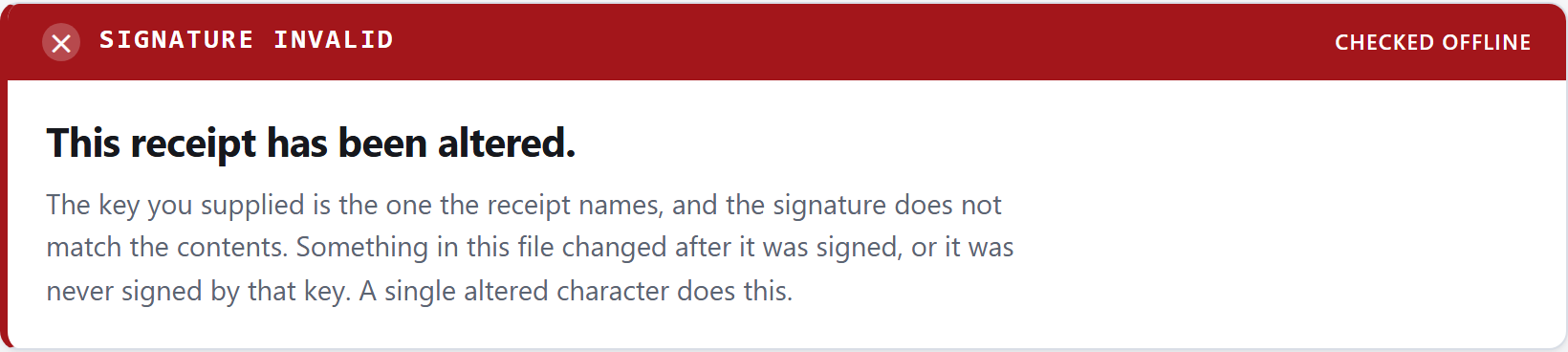
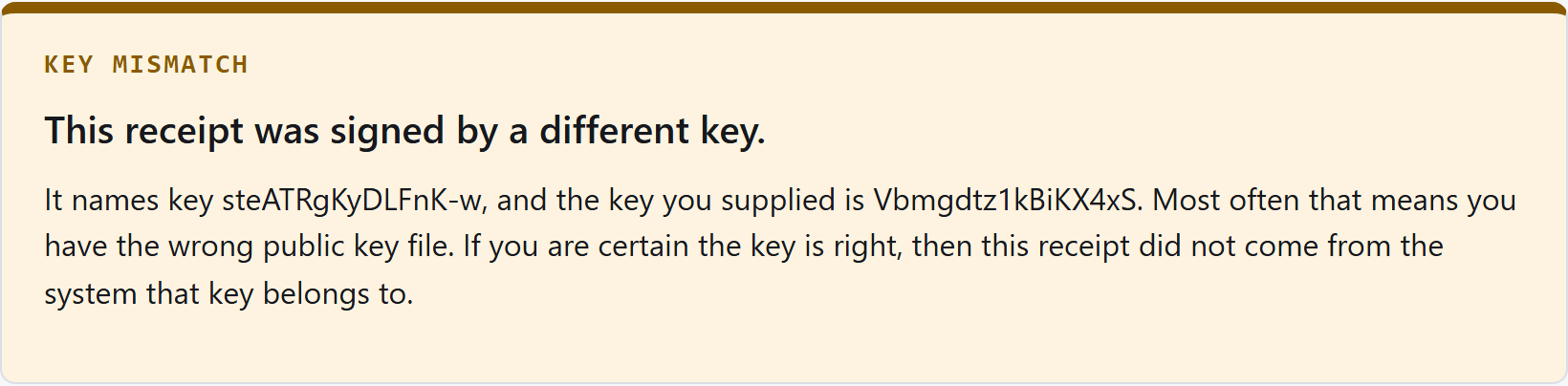
It uses the browser’s own signature support rather than a library of ours, and it self-tests against a published test vector before it will judge anything. Eleven distinct verdicts, so a failure says which kind it is.
Keep your own copy of our public key from the day you start: the check is only as independent as the key you give it. Needs a current Chrome, Edge, Firefox or Safari; an older browser is told it cannot run the check, and is never told that a genuine record is bad.
Boundaries
What it does not do, in short
In this release, reviewers sign in with a username and password. A record proves that a holder of that login decided, not who was at the keyboard — so we don't recommend live payments until single sign-on with multi-factor authentication is in place.
Confirmation of Payee is simulated in this release, one reviewer decides, and a payment path that does not use a gated tool is not held. The rest — including what we cannot detect, and what rests on your own data — is published in full.
Pilot
A 60-day design partner pilot
We are working with a small number of teams whose AI agents initiate payments.
A pilot is scoped so the exposure is acceptable to you: shadow mode, where your gated tool records an approval but moves no money while payments carry on through your existing process; a test account; or a payment ceiling, enforced by your payment system, low enough that the exposure is acceptable to you.